Team Insights
Pulse provides lightweight team-level visibility directly in the dashboard.

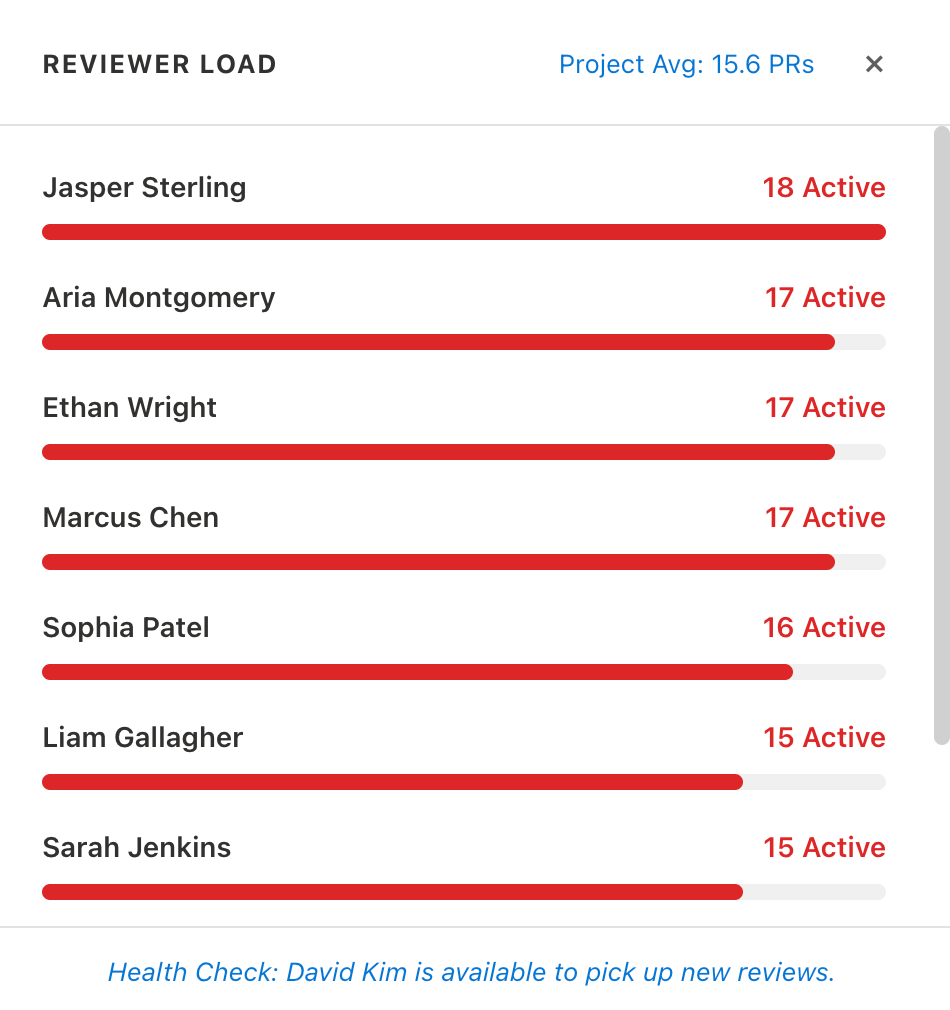
Reviewer Load Balancer
In the All PRs tab, Pulse shows reviewer workload by counting active PR assignments.
- avatar chips display up to 4 reviewers with a colored count badge: green (≤ 2 PRs), orange (3–5 PRs), red (> 5 PRs)
- a
...button (or+Nwhen there are more than 4 reviewers) opens the Reviewer Load dialog - the dialog lists every reviewer with a progress bar scaled to the highest load, and a health check message identifying the most available reviewer
- helps engineering leads rebalance review requests before a PR sits waiting
PR Health Chips
Pulse summarizes active PR recency into three buckets:
FreshAgingCritical
This gives engineering leads a fast signal of review flow health without external reports.