
Core Dashboard
The PR Pulse dashboard is the central view for active pull requests across repositories in the current Azure DevOps project.
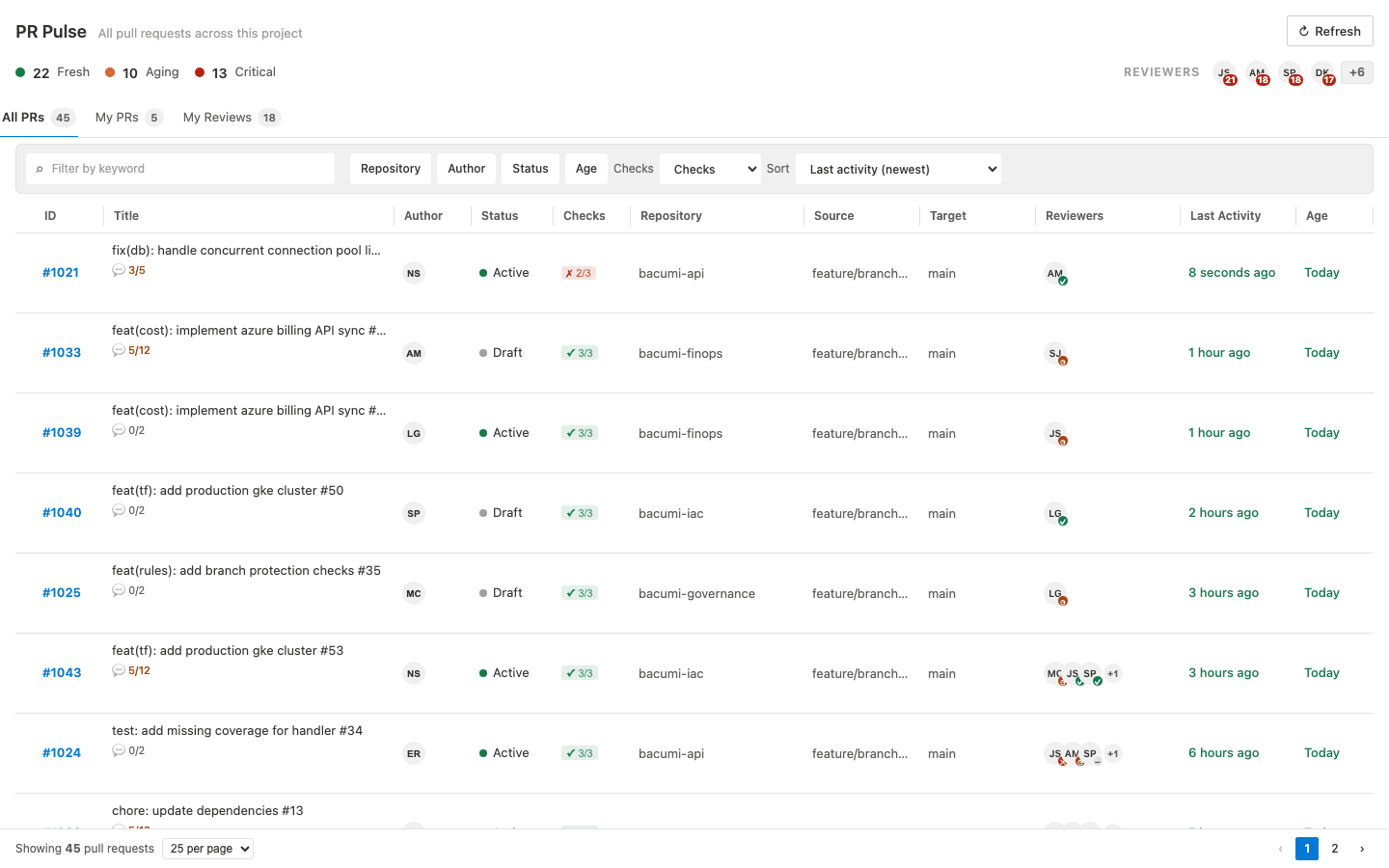
What You See
Each table row includes:
- PR ID and title
- Author
- Status: Active, At Risk, Stuck, or Draft
- Checks status, with popover details
- Repository
- Reviewers
- PR age
Staleness and Status
PR Pulse classifies recency from the last meaningful activity:
- Active: less than 24 hours
- At Risk: 24 to 72 hours
- Stuck: more than 72 hours
- Draft: the pull request is in draft state
Health Strip
At the top of the table, PR Pulse summarizes project-level recency as Fresh, Aging, and Critical counts.
Checks Visibility
The Checks column opens a popover with build and enabled policy-check outcomes and links back to the pull request in Azure DevOps.
Refresh and Paging
- The manual refresh button reloads current data and clears the in-memory metadata caches.
- Pagination supports 15, 25, or 50 rows per page for larger result sets.